Thermal Tech vs. Standard Night Vision
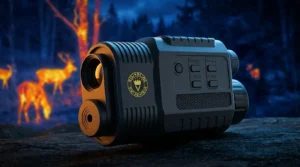
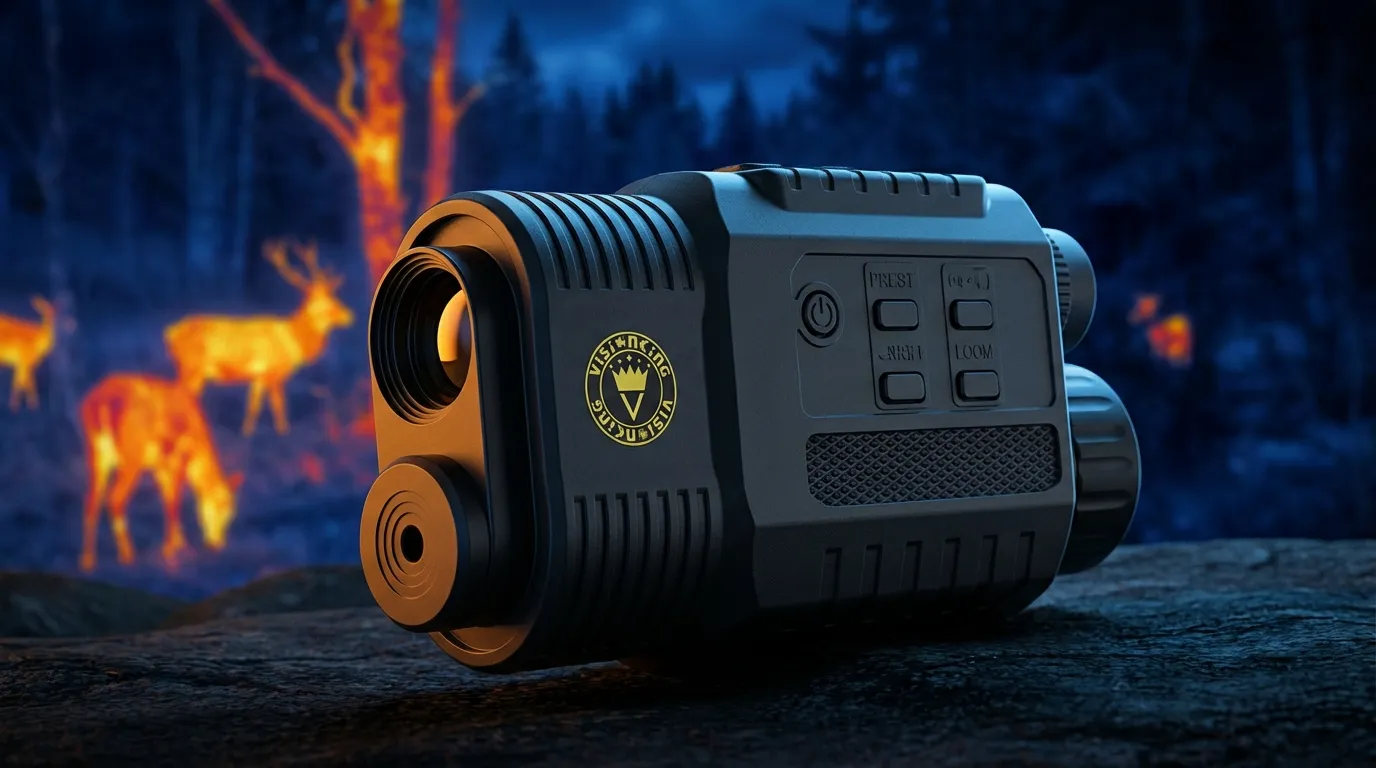
Understanding the distinction between a thermal night vision monocular and traditional night vision is critical for any tactical or outdoor operation. Standard night vision relies on light amplification, requiring at least some ambient light—such as moonlight or an IR illuminator—to function. In contrast, thermal imaging uses an infrared imaging sensor to detect heat signatures, making it effective in total darkness, thick fog, or heavy brush where traditional optics fail.
The Technology Gap: Heat Signatures vs. Light Amplification
| Feature | Standard Night Vision | Thermal Monocular |
|---|---|---|
| Light Requirement | Requires ambient light/IR | Zero light required |
| Detection Method | Amplifies existing photons | Detects heat energy (IR) |
| Through Obstruction | Blocked by smoke/fog/brush | Sees through smoke and light foliage |
| Best Use Case | Recognition of facial features | Long-range heat detection |
Why I Prefer a Handheld Monocular Over a Scope
For scanning and surveillance, I always prioritize a handheld thermal scanner over a weapon-mounted scope. The primary drivers are efficiency and safety. Using a rifle-mounted optic for constant scanning leads to significant arm fatigue and, more importantly, creates a major safety hazard by forcing you to point your muzzle at everything you wish to identify.
Ergonomics: Scanning Safely Without a Rifle
A monocular provides a natural viewing experience that preserves your situational awareness without the bulk of a full weapon system.
- 360-Degree Mobility: Rapidly scan the horizon without rotating your entire body or rifle.
- Weight Efficiency: High-quality units typically weigh under 1 lb, preventing the neck and shoulder strain common with heavy gear.
- Safety First: Maintain a \”cold\” weapon while identifying targets, ensuring you never sweep a hunting partner or non-target with your barrel.
- Stealth Operations: Use the device from behind cover or through a small viewing port without exposing your silhouette or rifle profile.
By utilizing a dedicated thermal night vision monocular for detection, you achieve superior thermal contrast and faster target acquisition while maintaining a safer, more ergonomic workflow in the field.
Cracking the Code: The Big Three Specs
When I’m evaluating a thermal night vision monocular, I ignore the marketing fluff and look straight at the core electronics. These three specs determine your heat signature detection quality and how much detail you’ll actually see in total darkness.
Thermal Sensor Resolution: 384×288 vs 640×512
The resolution is the most critical factor for image clarity. Much like how you’d analyze what do the numbers mean on a rifle scope to judge its optical potential, thermal resolution tells you how many pixels of heat data are being captured.
- 384×288: The industry standard. It’s perfect for mid-range scanning and offers a great balance between cost and performance.
- 640×512: The gold standard. If you need to identify targets at long distances or want a crisp image when using digital zoom magnification, this is the way to go. It offers significantly more detail and a smaller pixel pitch for a sharper view.
NETD Sensitivity: Why Lower Numbers Are Better
NETD sensitivity (Noise Equivalent Temperature Difference) measures how well the sensor picks up tiny temperature variations. It is measured in milliKelvins (mK).
- Lower is Better: A sensor with <25mK or <35mK can \”see\” through fog, rain, or thick humidity much better than one with a higher rating.
- High Contrast: A lower NETD ensures a cleaner thermal contrast, making the target pop against a cold, flat background.
Refresh Rate: Avoiding Lag with 50Hz
Nothing ruins a session like a choppy image. The refresh rate (Hz) determines how many times the image updates per second.
- 50Hz: This is my minimum requirement for a handheld thermal scanner. It ensures a fluid, real-time view without the \”motion sickness\” or lag found in budget 9Hz units.
- Smooth Tracking: Whether you’re scanning a field or tracking moving wildlife, 50Hz keeps the movement natural and precise.
| Feature | Mid-Range Choice | Professional Choice |
|---|---|---|
| Resolution | 384×288 | 640×512 |
| NETD | <35mK | <25mK |
| Refresh Rate | 50Hz | 50Hz |
| Pixel Pitch | 17µm | 12µm (Sharper) |
Glass and Build Quality: The Unsung Heroes
I’ve learned the hard way that a top-tier sensor is wasted if the glass in front of it is subpar. For a thermal night vision monocular to perform, the lens material must be specialized. Standard glass blocks infrared energy; that’s why we use Germanium lenses. They are the gold standard for collecting heat signatures and ensuring the sensor gets a clean, unfiltered \”look\” at the target.
Optics and Coating
Beyond the material, Fully Multi-Coated (FMC) optics are essential. These coatings maximize light transmission and reduce glare, which is critical when you\’re switching between thermal modes and traditional optical views. High-quality glass ensures that the thermal night vision monocular delivers a crisp image rather than a pixelated mess. When choosing gear, understanding key features and advantages is the best way to ensure you aren\’t overpaying for marketing fluff.
Detection vs. Identification
One of the biggest mistakes beginners make is confusing these two terms. Just because you see a glowing dot doesn\’t mean you know what it is.
| Capability | What It Means | Real-World Example |
|---|---|---|
| Detection | You see a heat source. | A white blob 800 yards away. |
| Recognition | You can tell the shape. | You can see it\’s a four-legged animal. |
| Identification | You see specific details. | You know it’s a feral hog, not a calf. |
Built for the Elements
If your gear can’t handle a downpour or a drop, it’s a paperweight. I look for two specific ratings:
- IP67 Waterproofing: This means the unit can handle being submerged in a meter of water for 30 minutes. It\’s essential for heavy rain or accidental drops in a creek.
- Shock Resistance: Internal components must be braced against impact. Whether it\’s a bump against a tree or a fall from a tripod, a rugged night vision thermal monocular must maintain its calibration.
- Metal vs. Polymer: I prefer high-grade composite or metal housings, similar to the metal body construction found in premium optics, as they dissipate heat better and survive rougher handling.
Real-World Applications for Thermal Monoculars
A thermal night vision monocular isn\’t just a gadget; it is a critical tool that changes how I interact with the environment after dark. Whether I\’m managing a property or out in the field, the ability to see heat rather than light provides a massive tactical advantage.
Night Hunting: Scanning and Tracking
I always tell my clients that while finding the best thermal rifle scope is important for the shot, a handheld monocular is what you’ll use 90% of the time. It is my primary tool for:
- Scanning Fields: I can sweep a 200-yard field in seconds to spot the heat signature of hogs or coyotes that are completely invisible to the naked eye.
- Tracking Blood Trails: A fresh trail holds heat. Using a thermal night vision monocular makes recovery much faster by highlighting the \”glow\” of blood against the cold ground.
Search and Rescue: Seeing Through the Noise
In search and rescue (SAR) scenarios, time is everything. Visual camouflage and thick brush make traditional spotting nearly impossible, but heat doesn\’t hide.
- Breaking Camo: A person wearing forest-green gear disappears into the trees, but their body heat stands out in high contrast on a thermal display.
- Foliage Penetration: While it can’t see \”through\” solid wood, it picks up heat leaking through gaps in the canopy, allowing for much faster detection ranges in dense woods.
Security and Tactical Surveillance
For professional security and perimeter checks, I rely on thermal optics because they don\’t require any ambient light to function.
- Shadow Mastery: Intruders often hide in the deep shadows where flashlights create too much glare. Thermal tech ignores the light levels entirely, making \”dark corners\” non-existent.
- Stealth Operations: Unlike standard night vision, you don\’t need an IR illuminator. This means I can conduct tactical surveillance without a glowing red light giving away my position.
- Perimeter Checks: I use a portable monocular or a dedicated thermal scanner to quickly verify if a vehicle engine is still warm or if someone is lingering near a fence line from hundreds of yards away.
Digital Features You Actually Need
When I\’m evaluating a thermal night vision monocular, I look past the basic sensor specs to the digital features that actually impact usability in the field. Modern devices are more than just optics; they are sophisticated digital tools. Understanding how to leverage these features transforms a simple observation tool into a tactical asset.
Mastering Color Palettes: White Hot vs. Black Hot
The ability to switch between color palettes is critical for adapting to different environments. While many units offer rainbow or \”iron bow\” modes, the two most practical settings for serious detection are White Hot and Black Hot.
- White Hot: Best for general detection. Heat sources appear bright white against a darker background. I find this most effective for quickly scanning large fields to spot living targets instantly.
- Black Hot: Often provides better detail of the target itself. Heat sources appear black, which can look more natural to the eye at night and helps in identifying specific animal features once detected.
Wi-Fi Streaming and Recording Evidence
In professional security or wildlife research, seeing the target isn\’t enough; you often need proof. Many of our advanced custom night vision systems now integrate Wi-Fi modules. This allows me to stream real-time footage directly to a smartphone or tablet. It’s invaluable for team operations where a spotter can share a view without passing the device back and forth. Onboard recording ensures that critical moments—whether a security breach or a rare animal sighting—are saved for later analysis.
Battery Life for All-Night Ops
Digital features drain power. A high-resolution thermal display and Wi-Fi streaming can kill a battery in under two hours if the power management system is poor. For all-night operations, I prioritize units that offer:
| Feature | Benefit |
|---|---|
| Standby Mode | Instantly dims the screen to save power when not at eye level. |
| External Power | USB-C ports that allow connection to portable power banks. |
| High Capacity | Lithium-ion batteries rated for 6+ hours of continuous runtime. |
Reliability is key. Nothing is worse than your optics dying right when the target enters the identification range. Always check if the monocular supports external power sources for extended surveillance sessions.
FAQ: Thermal Night Vision Monocular
I’ve spent years testing these optics in the field, and these are the most frequent questions I get from professionals looking to invest in a thermal night vision monocular.
Can thermal monoculars see through glass?
No. This is the most common myth I encounter. Thermal sensors detect heat signatures (long-wave infrared), and standard glass is essentially a solid wall to those wavelengths. If you point a handheld thermal scanner at a window, you won\’t see what\’s outside; you\’ll likely just see a thermal reflection of yourself or the room\’s interior.
What is the difference between thermal and night vision?
It’s all about the source of the image. Standard night vision monoculars amplify existing ambient light (moonlight or starlight). If it\’s pitch black, they need an IR illuminator. A thermal night vision monocular doesn\’t need light at all; it maps heat signature detection, allowing you to see targets through thick fog, smoke, or dense brush where traditional night vision fails.
How far can a thermal monocular detect heat?
The detection range varies based on your sensor and lens quality, but generally:
- Basic units: Detect human-sized heat signatures at 500–800 yards.
- Professional units: Can pick up signatures at 2,000 yards or more.
- Identification: Note that while you might \”detect\” a heat blob at 1,000 yards, your identification range (knowing if it\’s a coyote or a dog) will be significantly shorter.
Is a higher Hz refresh rate always better?
Yes. The refresh rate (Hz) determines how many times the image updates per second.
- 9Hz or 30Hz: Can feel \”choppy\” or laggy when you scan quickly.
- 50Hz: Provides a smooth, real-time view.
If you are using your device for tracking moving targets or during fast-paced night hunting gear operations, 50Hz is the industry standard for preventing eye fatigue and motion blur.
| Feature | Thermal Monocular | Standard Night Vision |
|---|---|---|
| Light Requirement | Zero light needed | Requires ambient light/IR |
| Obstruction Penetration | Sees through fog/bushes | Blocked by foliage/fog |
| Best For | Finding hidden targets | Navigating & Identification |
| Glass Visibility | Cannot see through glass | Can see through glass |